
Illuminate your models
with our DIY lighting accessories
Why light up my builds?
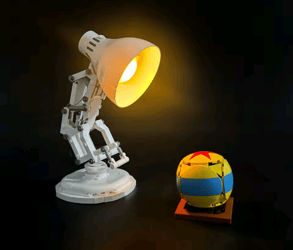
You've spent hours, if not days building your latest set or even longer if it's your own creation, so why not reach the next level by illuminating your models.
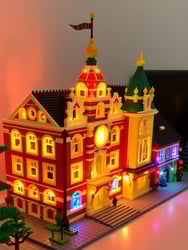
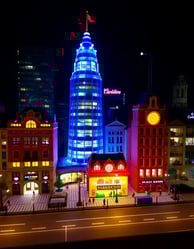
- Enhance incredible details inside models, such as modular buildings, to make those details pop.
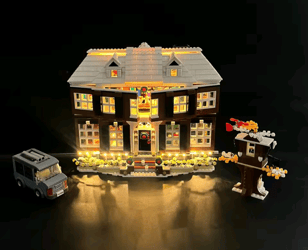
- Bring your builds to life by creating mood lighting or cozy interiors
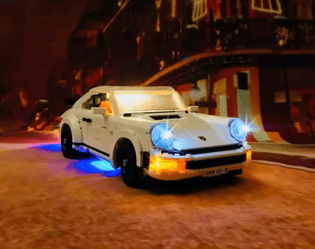
- Add lights to your vehicles, traffic lights at road crossings or brighten up the front of shops and buildings.
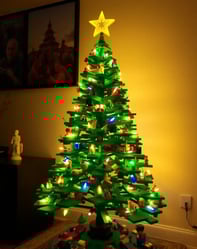
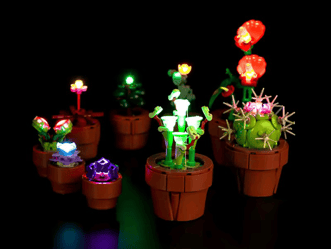
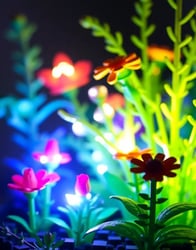
- Why not add lights to your botanical builds to enhance flowers or create shadows for dramatic effects.
- Colour can be a big deal! Yellows and orange LED lights can make a room feel warm and cozy. Blues and whites can be used for a more futuristic look.
- Use lighting to enhance art builds or as a back drop to your favorite set.

.jpeg?width=194&height=250&name=download%20(2).jpeg)
Pre installed plugs
Plug in and use, no soldering required
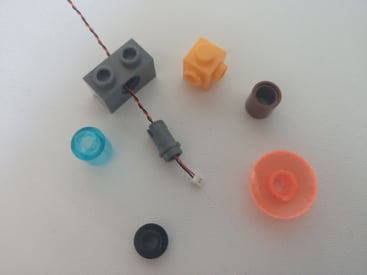
Thin cables and small sockets
Simply hide wires within your builds
Small 0.8mm pin interface
Easily inserted inside bricks and holes
Expandable
Connect multiple boards, cables and led's
Simple to use
No elctorices or previous knowledge needed
Build it your way
Add the accessories that you want
Power Options
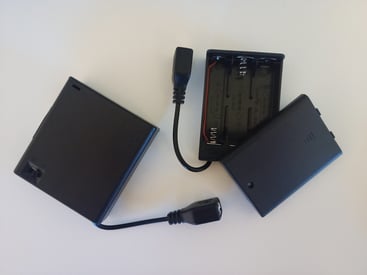
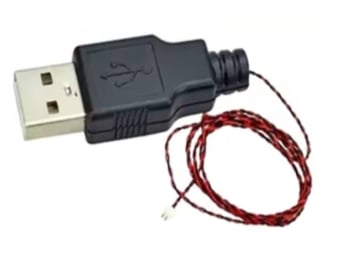
The easiest way to power your lights is to use a 5 volt rechargeable power pack or battery pack, using a USB to 0.8mm pin cable to connect everything together. Batteries will need replacing regularly when as a battery box will last significantly longer. Each power source will have its own benefits, such as access once in your build.
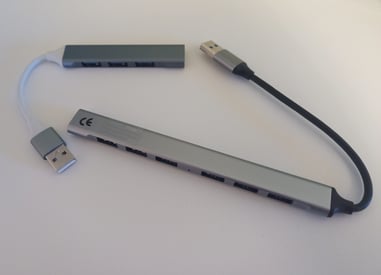
A USB hub or adapter can be used to separate cables leading to other parts of your build that you want to light up.
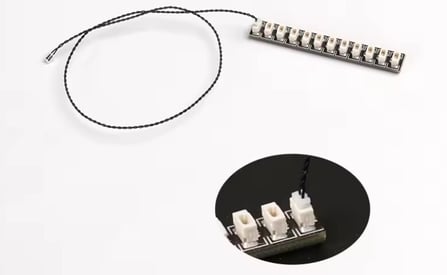
Expansion Boards
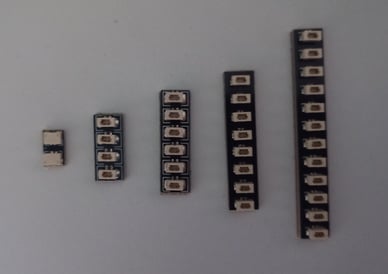
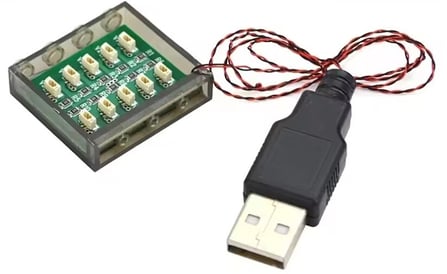
Expansion boards can be used to connect your power to led cables or using connector cables to extend further.
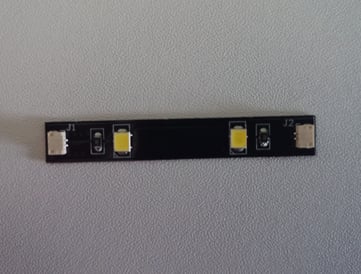
These boards include a 3M strip on the back so they can easily be peeled and stuck on to brick walls or underneath plates and hidden within the build.
! Take care when connecting the cable pin interface to the socket as they will only connect one way. Do not force together as this will cause damage. The pin connector side with the wires should face the soldered '=' symbol on the socket.
The pin connector from your power source can be plugged into any socket on the board.
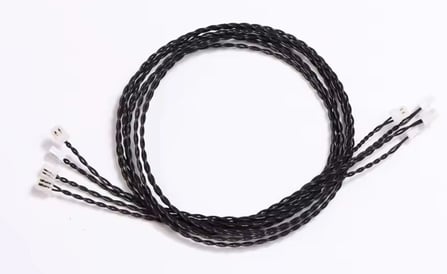
Connecting Cables
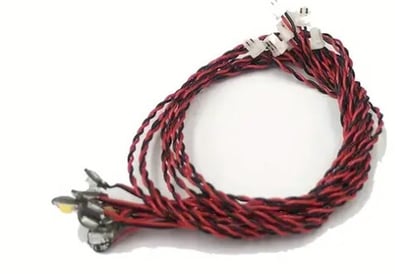
Simple to use cables with pre installed plugs that can easily be placed inside bricks and under plates. Cables are flexible and can be twisted around studs and bars.
! Cables will fit in between bricks and plates but gently place parts together and do not force as this will damage the wires.
Cables can be placed between bricks or plates with care but can easily fit into gaps and channels within the build. Create spaces that can't be seen to hide excess cables and use a wire tie to wrap up the cables together.

Led lights
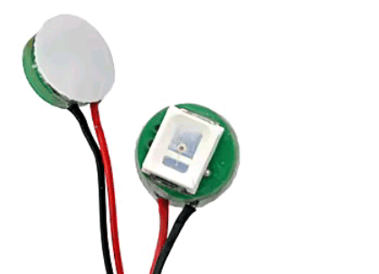
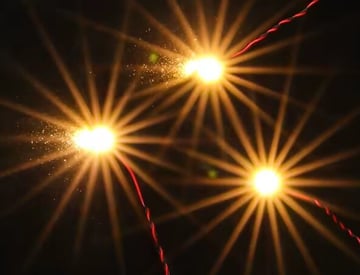
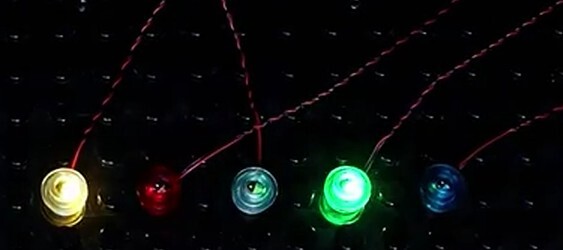
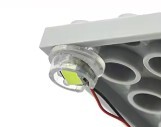
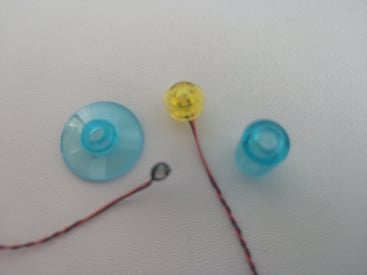
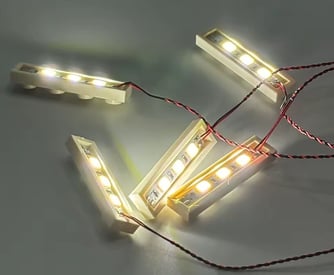
There are a number of different types of led lights that can be used such as the bit lights or strip lights. You can achieve any colour light you want by fixing the led under a coloured transparent plate or tile of your choice. Depending on the colour required, you can use a bright white led light and place it under a trans-coloured plate, tile or brick to achieve a different colour. Warm white is a cozy shade of yellow (similar to your home lights) White is a bright coloured led light.
! Ensure that led lights are facing the correct way when installing. Do not place led lights on a stud underneath a tile as there is no room to fit comfortably, unlike a plate. try pacing between studs under a 1x2 tile instead.
Bit led lights can be placed directly on top of studs or inside bricks or plates. Try spacing out and positioning your LED lights within your build, sometimes too many lights can be too much!

Other Accessories
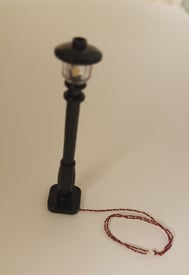
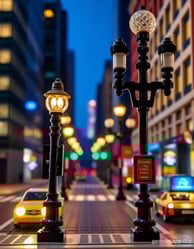
Other lighting accessories include pre-wired lampposts and 1x4 panels that can be easily added into your city builds.
Lighting Modules
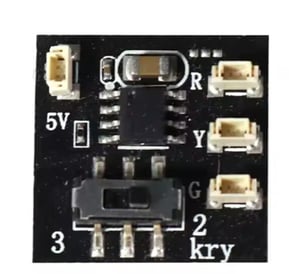
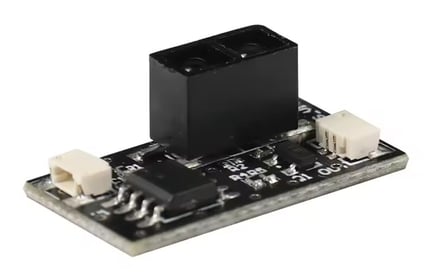
Extra modules can be added to your lighting to create effects, traffic-lights or even to add sounds to your build!

Maintenance and Safety
- Always use lights and accessories that are rated for safe use, look out for the UKCA or CE markings and stickers. This shows that the manufacturer has demonstrated compliance with health, safety and environmental protection legislation.
- LED lights emit minimal heat, however ensure there is ventilation around the light source to prevent any heat build up and damage bricks over time.
- Make sure that all LED lights, cables and expansion boards are securely installed.
- Regularly inspect connections for any sign of wear or damage.
- All small parts and batteries should be out of the reach of children.
- Keep your lighted sets away from water or moisture as the will damage to components.
- Remove batteries if not used for extended periods to prevent leakage.
- It a light stops working, check the connections and power source. Replace as required.
- When storing builds containing lighting accessories, disassemble if possible to reduce stress on the cables. Store in a cool dry place.
Frequently asked questions
Why use the 0.8mm pin and sockets?
They are small enough to be easily fed through brick holes and even inside technic pins.
How many led lights can I light up?
One USB 3.0 hub connected to a power bank can easily power up to 100 led lights but you may find that they start dimming with the more you use.
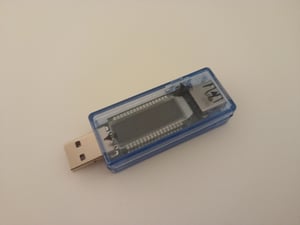
Can I check the amp usage for my lights?
Yes, simply get a volt tester and plug this in between your USB hub/power bank and the USB cable to your led lights.
How do I know what accessories I will need?
Pre plan what you need in advance, there are plenty of lighting providers of kits already on the market with parts lists and instructions. Need further help? Check out our 'how to' guides or get in touch with us.
If you are lighting a vehicle then all you would need is a USB to 0.8mm pin cable, a 6 port expansion board and 4 led light cables. If you are wanting to light up a larger building then more led lights or led strips maybe more appropriate. You would also need more expansion boards and connection cables depending on the distance between your power source and led lights.
Can I add lighting after I have built my set?
Yes, Start at the power source and layout the cables and led lights you have to visualise what needs to go where and how you can adjust your build for them to fit. Don't forget to test the lights for loose connections or misaligned wires as you go along.
Can I easily connect different modular buildings using one power source?
Different manufacturers can provide magnetic power connectors so you don't have to dismantle and unplug modular buildings or sections of your build, for easier storage and moving around.

Further handy tips, guides and videos on how to get the best out of lighting your builds will be added soon!
.jpeg?width=194&height=250&name=download%20(1).jpeg)

Built by you...
Share your incredible light up builds with us and we will feature them on our socials and this website!
